Enable Two Factor Authentication In Fortnite
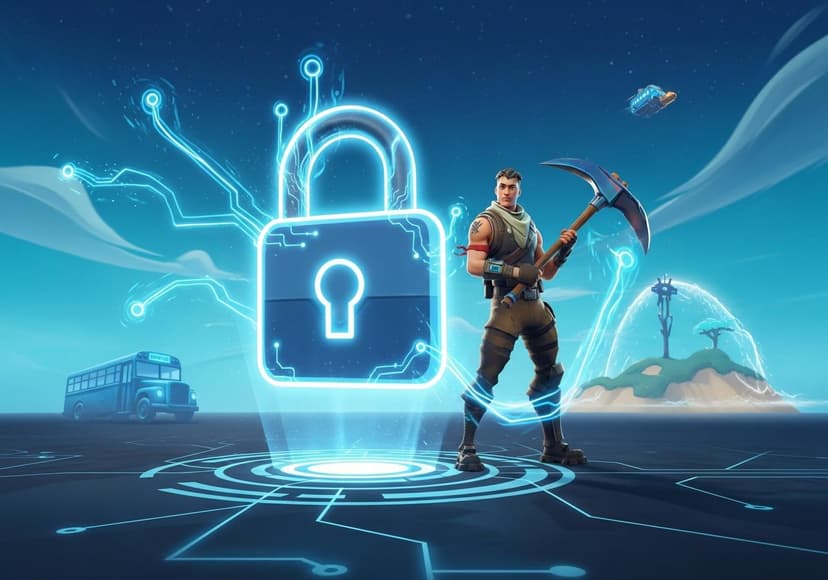
Secure your Fortnite account by setting up two-factor authentication. Follow the steps provided to enhance your account's security.
What is Fortnite 2FA?
Fortnite Two-factor Authentication (2FA) is a vital security feature that protects your Fortnite account from unauthorized access. Think of it as an added layer of security beyond just your traditional password. While passwords may be compromised, 2FA requires a second piece of information, ensuring that even if someone learns your password, they still can't access your account.
Why Enable 2FA in Fortnite?
With the rising number of cyber attacks and account hacks, Fortnite Account Security has become a crucial aspect of maintaining your gaming experience. By enabling 2FA, you significantly enhance your account's protection through an extra security step. It safeguards not only your gaming purchases but also your in-game items which may hold real-world value.
How to Enable 2FA in Fortnite
If you’re wondering how to enable 2FA Fortnite, you’re in luck! The setup process is simple and takes just a few minutes. Here is a straightforward Fortnite 2fa guide to help you get started.
To enable Fortnite 2FA, log in to your Epic Games account, go to your account settings, and navigate to the "Password and Security" section. You will find an option to enable Two-factor Authentication. Epic Games supports various authentication methods, including the use of an app like Google Authenticator or via email.
Fortnite 2FA Setup
The setup process involves a few steps: first, you will need to select your preferred method of authentication. If you choose to use an authentication app, download it to your smartphone. When prompted, scan the provided QR code or input the code manually to link the app with your account.
Once linked, ensure your device is secured as it will generate a unique code each time you attempt to log in. Enter that code when prompted to gain access. For those who prefer email, simply make sure your registered email is valid and accessible.
You can find a more detailed step-by-step process at this link: How to Enable 2FA in Fortnite.
Benefits of Enabling Fortnite Account Protection
Enabling 2FA not only increases your Fortnite Login Security, but it also provides additional benefits like exclusive in-game rewards. Epic Games sometimes rewards players who turn on 2FA with special cosmetics or items, making it an appealing option for many users. Plus, using 2FA fosters a safer gaming environment for all players.
Common Issues and Troubleshooting
While the Fortnite 2fa setup process is generally straightforward, some players may face issues, such as not receiving codes or problems with the authentication app. Ensure that notifications are enabled on your mobile device, and that you are using the correct email or phone number linked to your Epic Games account.
In case you experience persistent issues, the Epic Games Help Center offers solutions and community forums where other players may share their experiences. Looking for solutions is essential in order to maintain your Fortnite Account Security.
More about Epic Games 2FA
The team behind Fortnite, Epic Games, has been committed to ensuring player safety. 2FA is part of their broader strategy to secure your Fortnite experience and maintains a trustworthy online community. By prioritizing Fortnite Security, Epic Games is actively working on updates and features that further enhance user protections.
Keeping your software updated and familiarizing yourself with any new security features will help keep your gaming experience smooth while maintaining a high level of account protection.
Final Thoughts on Two-factor Authentication Fortnite
In conclusion, enabling Two-factor Authentication in Fortnite is an essential step every player should consider. It’s quick, easy to set up, and provides significant peace of mind, knowing that your account is much more secure than relying on a password alone. By following this Fortnite 2fa Guide and taking the necessary steps, you’re actively participating in strengthening not just your own security but the integrity of the entire Fortnite community.
For more detailed information on how to secure your Fortnite account with 2FA, you can check out this link: Secure Your Fortnite Account with 2FA.
Posts Relacionados

Web Cloud Security Best Practices
Implement robust security measures for cloud environments, including data protection and access control, to safeguard information.

Access A Comprehensive Cloud Security Report
This report details cloud security. It analyzes threats, vulnerabilities, and solutions, offering best practices for protection.

Addressing Cloud Security Concerns
Protecting data and systems in the cloud environment requires robust security measures to mitigate risks effectively.