Complete Minecraft Pc Guide
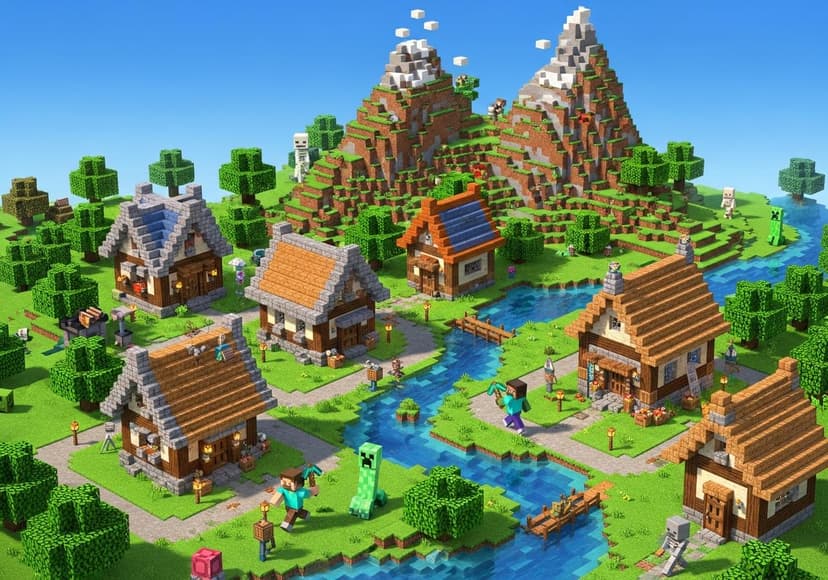
Explore Minecraft PC's vast world. Master crafting, building, and surviving. Adventure awaits with endless possibilities!
Welcome to your one-stop destination for everything related to Minecraft Online. Whether you're a newbie starting your adventure in the blocky universe or an experienced player looking for advanced tips, this guide is designed to help you navigate through the complexities of Minecraft PC gaming. Gather your pickaxe, as we dive deep into the realms of survival, creativity, and community!
Getting Started: Minecraft Download
Before you begin your journey, the first step is to download Minecraft. The game is available in two main versions: Minecraft Java Edition and Minecraft Bedrock Edition. While Java Edition is primarily meant for PCs and offers more mods, Bedrock is cross-platform, allowing you to play with friends on consoles and mobile. Choose the one that suits your needs and follow the prompts to install!
Creating Your Minecraft Account
Now that you've downloaded Minecraft, you'll need to create a Minecraft account. This account is essential for accessing features like Minecraft Realms, where you can enjoy private multiplayer experiences. Simply register on the official Minecraft website, verify your email, and you’re ready to go! Remember, keeping your account secure is paramount in the online gaming space.
Exploring Minecraft Game Modes
Minecraft offers different game modes such as Survival, Creative, and Adventure. In Survival mode, you gather resources, build shelters, and fend off monsters, while Creative mode gives you unlimited resources, allowing you to unleash your imagination without fear of danger. Experiment with these modes to figure out what you love the most in your Minecraft game experience.
Minecraft Server Hosting Options
If you're looking to venture into multiplayer gaming, you might want to consider Minecraft server hosting. Setting up your own server can allow you to customize your gameplay, determine who can join, and create a unique gaming environment. You can go the local route or opt for hosted services that provide more stability and greater performance. Check out various hosting options to find the one that fits your needs perfectly.
Diving Into Minecraft Mods
One of the best parts about Minecraft is its vibrant modding community. Minecraft mods can enhance your gameplay in countless ways—be it introducing new items, creatures, or even entirely new mechanics. Websites like CurseForge and Modrinth are great places to start your modding journey. Remember to check mod compatibility with your version of the game to avoid crashes!
Transforming Your Experience with Texture Packs
If you're looking for a visual upgrade, consider using Minecraft texture packs. These packs can completely change how the game looks, making it more realistic, whimsical, or anything in between. Many texture packs are available for free, but some may require a purchase. Just make sure to backup your game to prevent loss of data when installing new packs!
Understanding Minecraft Realms
Minecraft Realms is a subscription-based service offered by Mojang, allowing players to create and manage their own private server without the hassle of server hosting. You can invite friends to join your realm, and it automatically updates with data backups so you don't have to worry about losing your progress. It's a convenient option for those who want to play together without dealing with the technicalities of setting up a server.
Buying Minecraft: What to Consider
When it's time to buy Minecraft, you’ll often encounter various editions available on different platforms. Make sure to verify your platform before making a purchase. If you’re leaning towards Minecraft Java Edition for its modding possibilities, ensure your computer meets the system requirements to enjoy smooth gameplay.
Joining the Minecraft Community
Being part of the Minecraft community can significantly enrich your gaming experience. Platforms like Reddit, Discord, and Minecraft forums are fantastic resources where you can meet other players, exchange ideas, and get support. Share your builds, learn new techniques, and participate in collaborations. After all, playing Minecraft isn’t just about the game; it’s about the community around it!
Final Thoughts
Minecraft, whether you're experiencing the Java or Bedrock edition, offers endless possibilities for creativity, adventure, and collaboration. This complete Minecraft PC guide is just the beginning of your journey in Minecraft Online. Whether you're downloading the game for the first time or looking to explore mods and texture packs, there's always something new to discover. Don't forget to have fun, and most importantly, dig deep and enjoy your adventures in this beloved blocky universe!
Posts Relacionados
10 Kilowatt Solar Battery Pricing
Find competitive prices for a 10kw solar battery. Explore options and understand cost factors.
5G Availability By Zip Code
Examine zip codes to see where 5G is accessible. Coverage varies based on location; explore now for insights.

5G Tower Locations
Determining the nearest sites involves pinpointing infrastructure for enhanced connectivity and high-speed mobile data transmission.